
Built for one person: you
Plan the day.
Protect the streak.
This isn’t just another to-do list. Write down what matters, do it, and build a streak of days where you actually finished what you started. No app store, no download, just a browser tab and a little discipline.
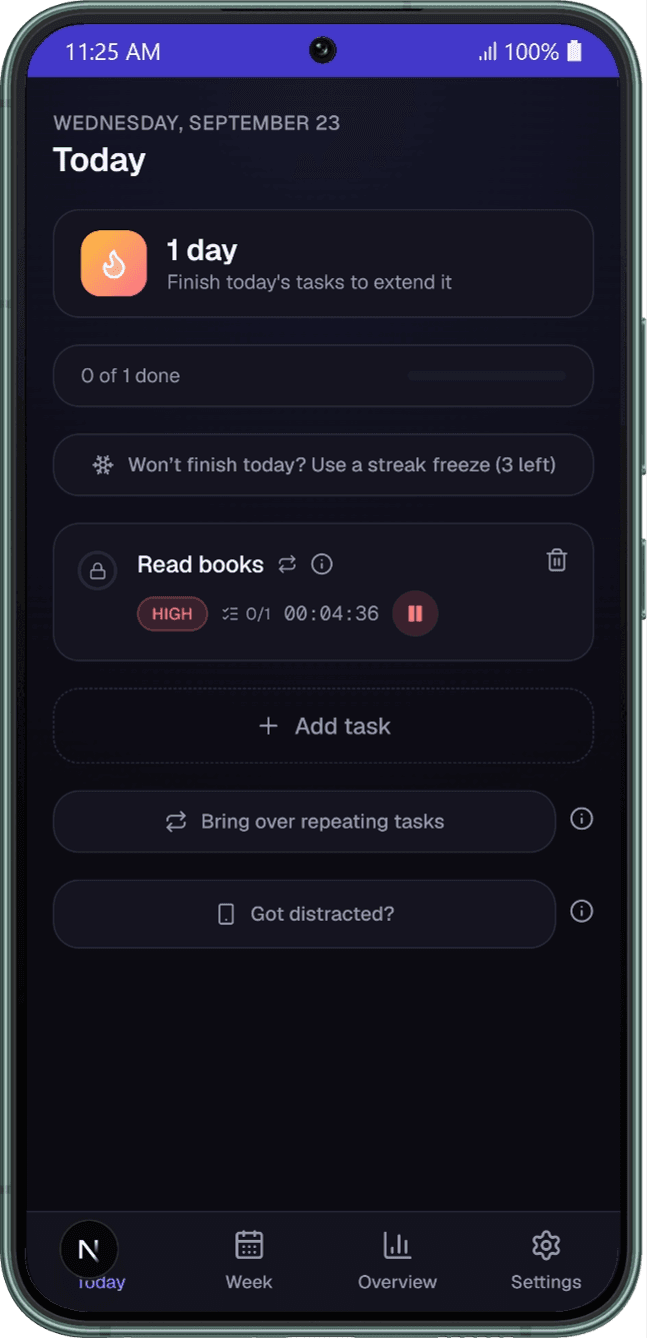
Today
Your whole day, one screen
Everything planned for today lives here: a live streak counter, a progress bar, and each task with its priority and timer sitting right on the card. Check things off as you go and watch the day fill in.
- Streak banner shows how many days you've strung together
- Priority tags and a live timer, right on the task card
- One tap to mark a task complete
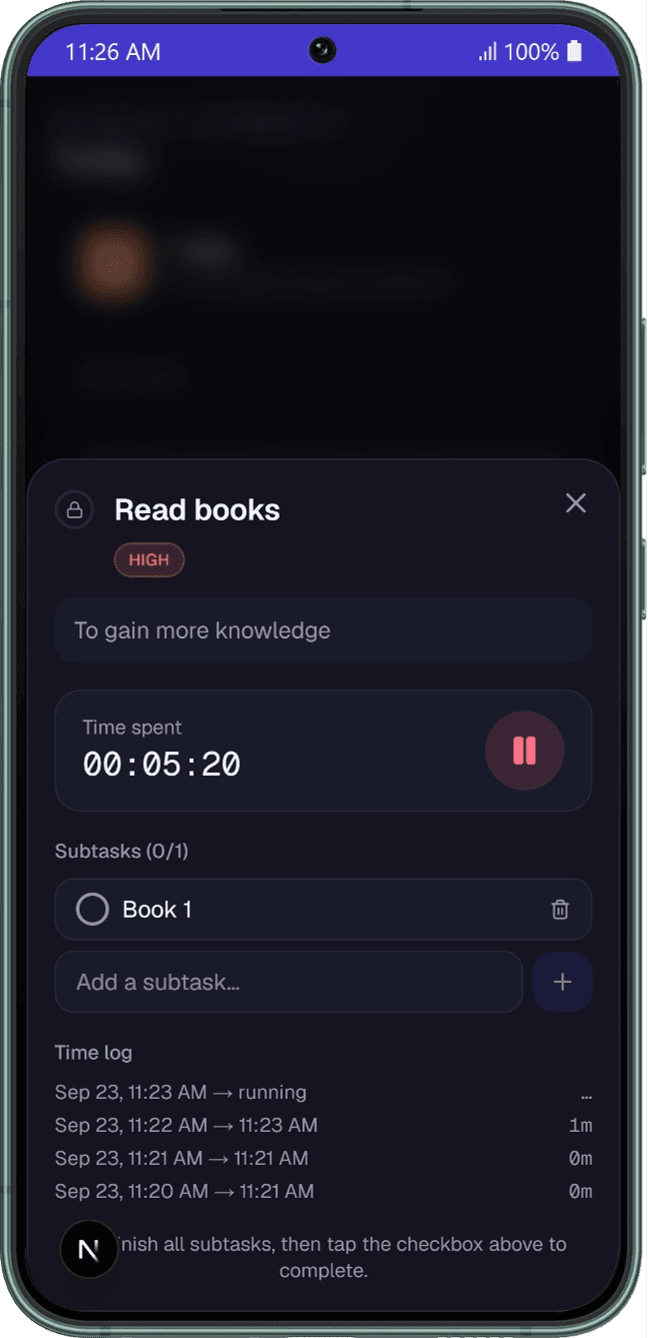
Task detail
Tap into any task for more
Every task opens into its own view: a full-size timer you can pause and resume, a checklist of subtasks, and a running log of every session so you know exactly where the time went.
- Pause and resume without losing your total
- Break a task into smaller subtasks and tick them off one by one
- A full log of every start and stop, with duration
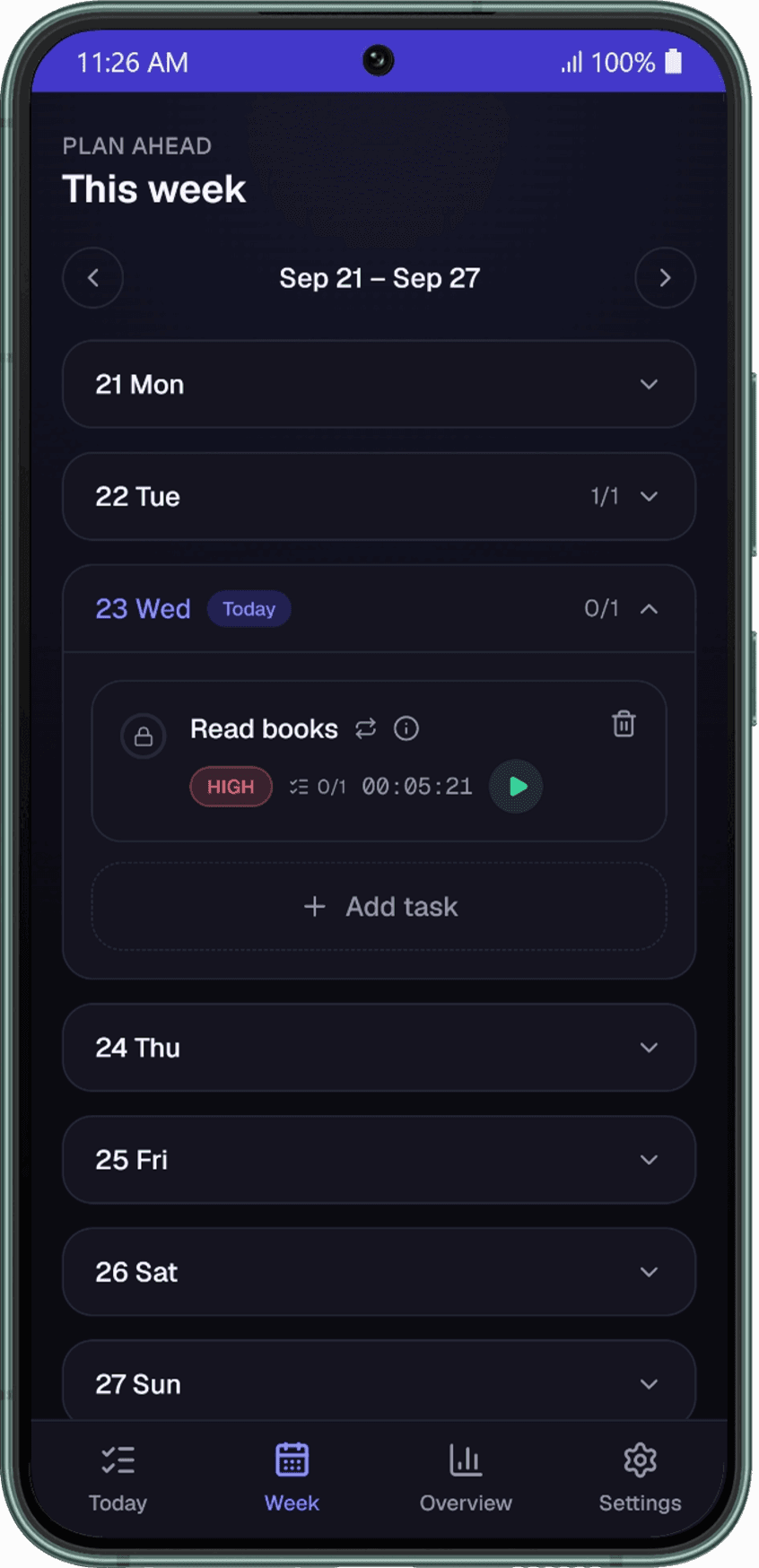
Week
Plan the whole week, not just today
Every day gets its own row: expand it, add tasks, and see how it's going, so you're never stuck planning one day at a time.
- Expand any day to see or add its tasks
- Each day shows a quick completion count, like 1/1
- Today is marked so you always know where you are
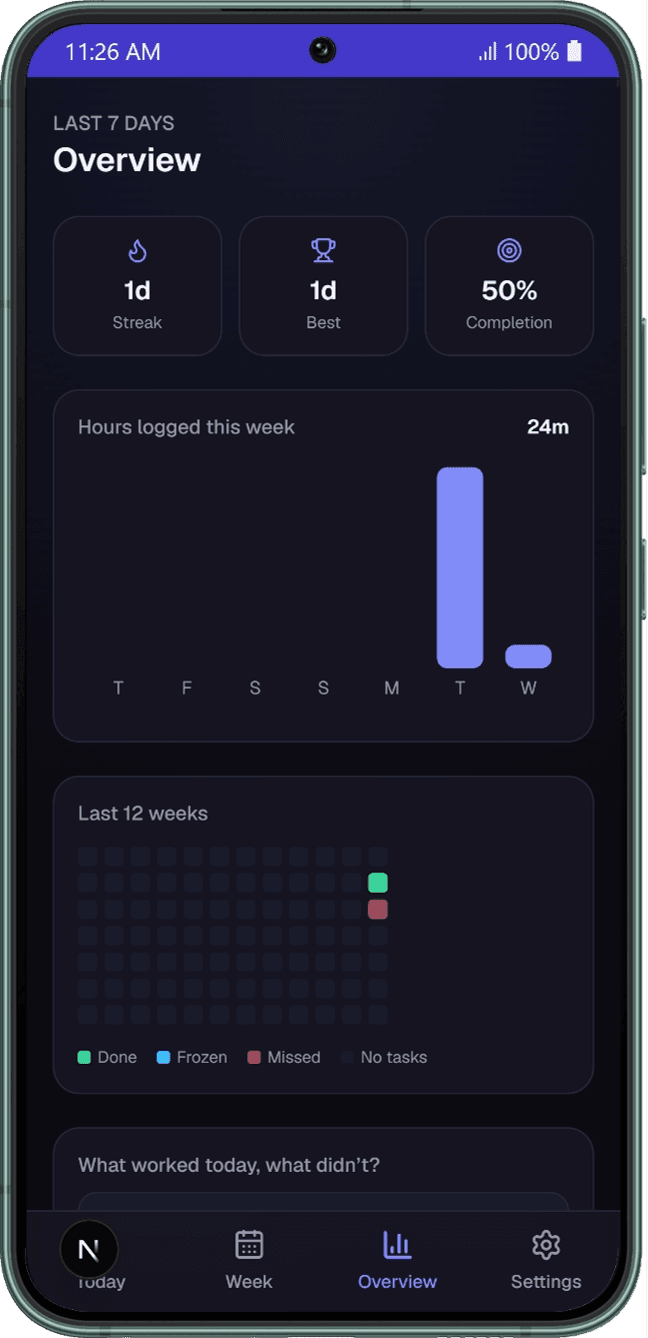
Overview
See the pattern, not just the day
A rolling heatmap of your last 12 weeks, hours logged per day, and your current streak next to your best one ever, all in one glance.
- 12-week heatmap: done, frozen, missed, or no tasks planned
- Hours logged this week, charted by day
- Current streak next to your longest one
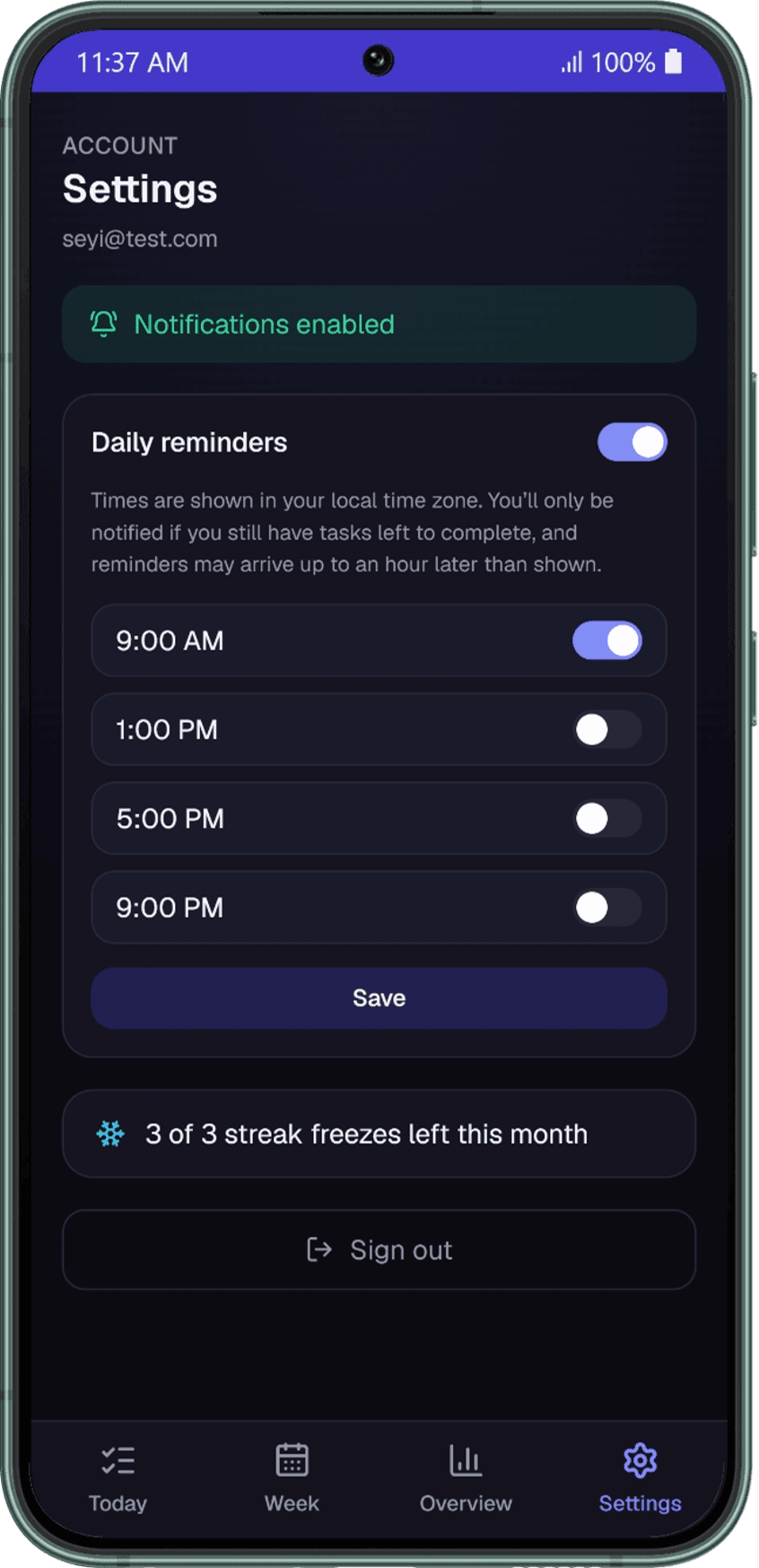
Settings
Reminders that respect your time
Turn on up to four check-ins a day. Each one skips you entirely if there's nothing left to finish, so you're never nagged for no reason.
- Up to 4 reminder times, each independently on or off
- Skipped automatically once everything's done
- 3 streak freezes a month, tracked right here
Plan
Write down what today needs. Or map out the whole week in one sitting.
Do
Work through it. Time the tasks that matter, check off the rest.
Keep the streak
Finish everything and the day counts. Come back tomorrow and do it again.
Install it like an app
No app store needed. Add Consistency to your home screen or dock for one-tap access.
Android
Open this page in Chrome, tap the menu (⋮), then "Install app".
iPhone & iPad
Open this page in Safari, tap the Share icon, then "Add to Home Screen".
Desktop
Click the install icon in your browser's address bar, then "Install".
Everything a checklist doesn’t do
The pieces that turn a to-do list into something you actually stick with.
A day only counts when everything you planned for it is done, no partial credit. And when life gets in the way, three streak freezes a month mean one rough day doesn't erase weeks of progress.
Start a timer on any task, pause when life interrupts, and keep a running log of every session. For bigger tasks, add subtasks, like each book in a reading goal, and tick them off one by one.
Mark a task as repeating once and pull it onto today's list with a single tap each morning instead of retyping it. Reminders check in up to four times a day, but only if there's still something left to finish.
A 12-week heatmap and hours-logged chart show your patterns at a glance. It's a web app that works in any browser, and you can install it to your home screen for an app-like feel: no app store, no download.
Start today. Literally.
Create an account with your email, add one task for today, and finish it. That’s a one-day streak. Tomorrow you make it two.
Create your accountYour tasks, timers, and streak are private to your account. Nobody else can see them.